



- Project number
- Project / 018
- Year
- 2026
- Category
- Data Engineering
- Status
- Active
FORMA
Repeatedly writing and debugging ETL logic made me wonder whether working with messy data could be more direct without removing engineering control. FORMA explores that idea as a visual data workbench.
- Origin
- Work problem → Engineering tool
- Role
- Designer and developer
- Status
- Active
- Stack
- TypeScript · React · React Flow · Python (pandas)
01 /The problem
Messy data, scattered tools.
Data engineering repeatedly requires inspecting, selecting, cleaning, transforming, validating, running and reviewing data through workflows that are often fragmented across code and tools.
01Work with the data directly
See the source, select what matters and shape it, with a preview before every change.
02Build a reproducible pipeline
Every change becomes a step in a pipeline that runs the same way each time.
03Keep engineering control
The pipeline exports as readable Python that produces the same output, so the work is never locked inside the tool.
02 /Core loop
See, select, transform, verify, run, export.
The core loop is the experience of using FORMA: what a person does, in order, with a dataset in front of them.
- See
- Select
- Transform
- Verify
- Run
- Export
03 /From messy input to pipeline
One specification, two engines.
The pipeline is the engineering process underneath. The interface, the in-browser engine and the Python generator all work from the same pipeline specification, and a parity suite checks that both engines agree cell for cell.
- Source
- Select
- Extract
- Clean
- Transform
- Validate
- Load
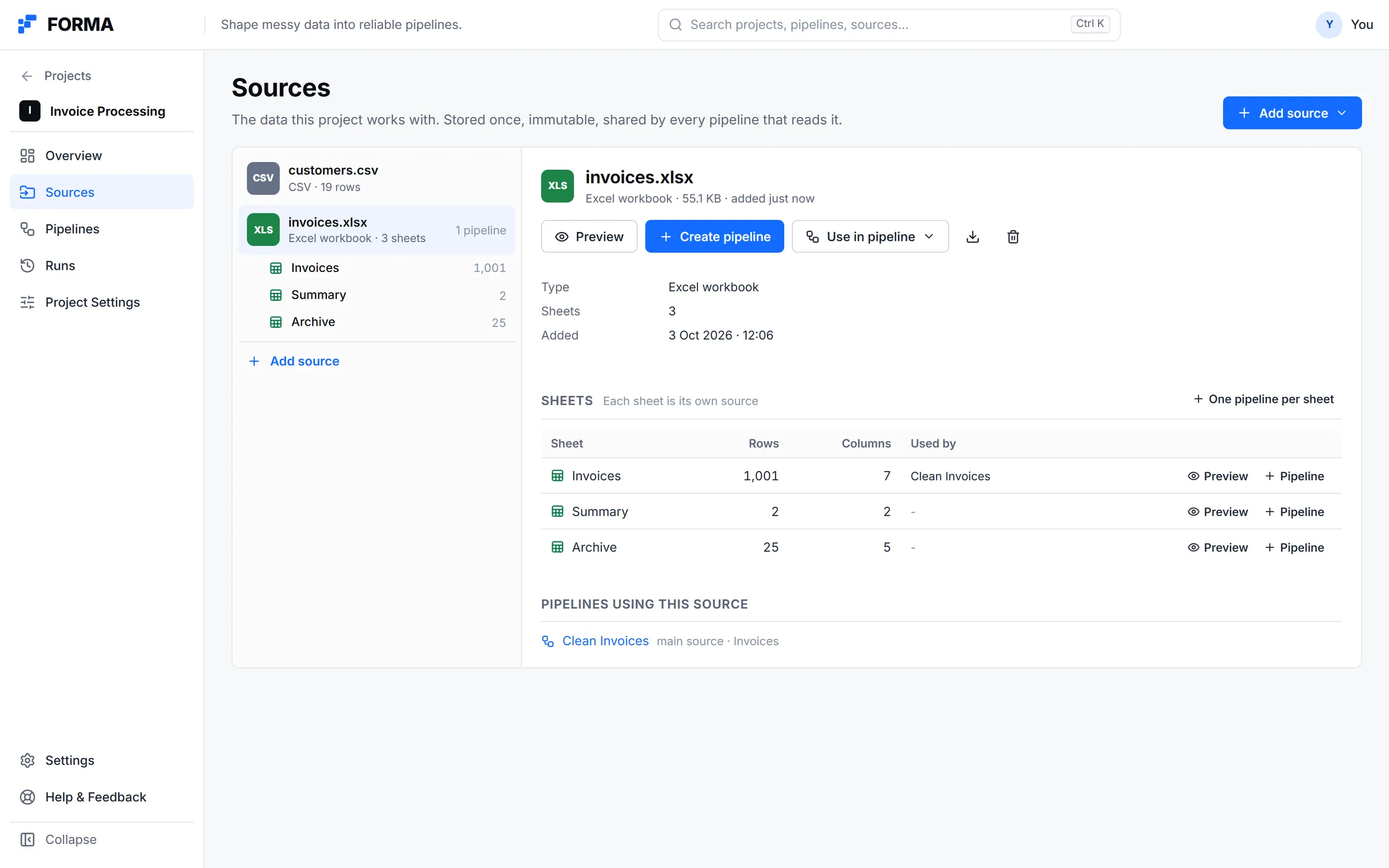
Sources are stored once and referenced by pipelines. Every sheet of a workbook is its own source.
Real product · Built-in example project and sample data04 /The workspace
Shape the data where you can see it.
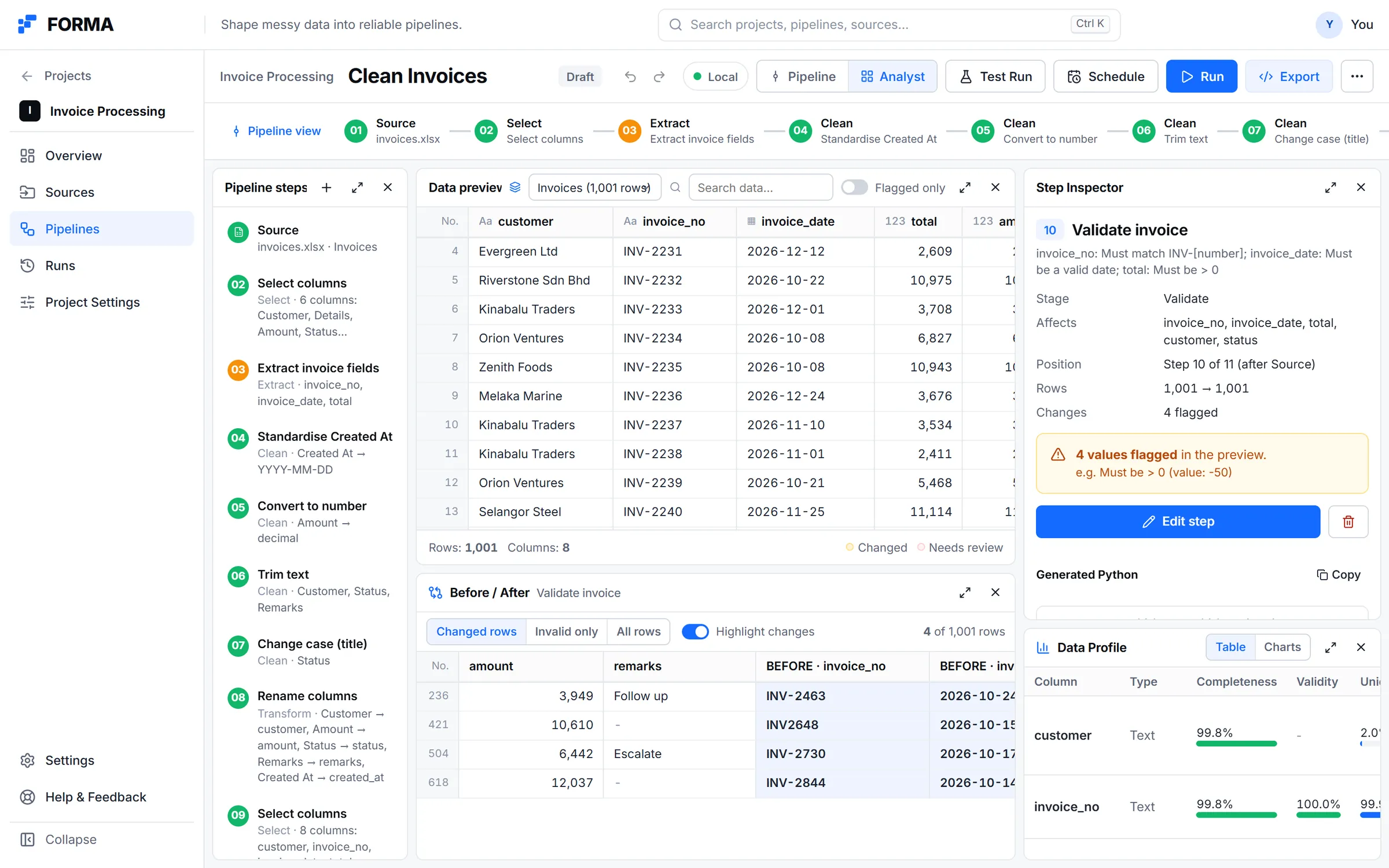
Pipelines open on a canvas. For deeper work, panel workbenches put the source, the data preview, the step inspector, a before and after comparison and the data profile side by side. Selecting a column shows its profile, detected patterns and suggested actions.
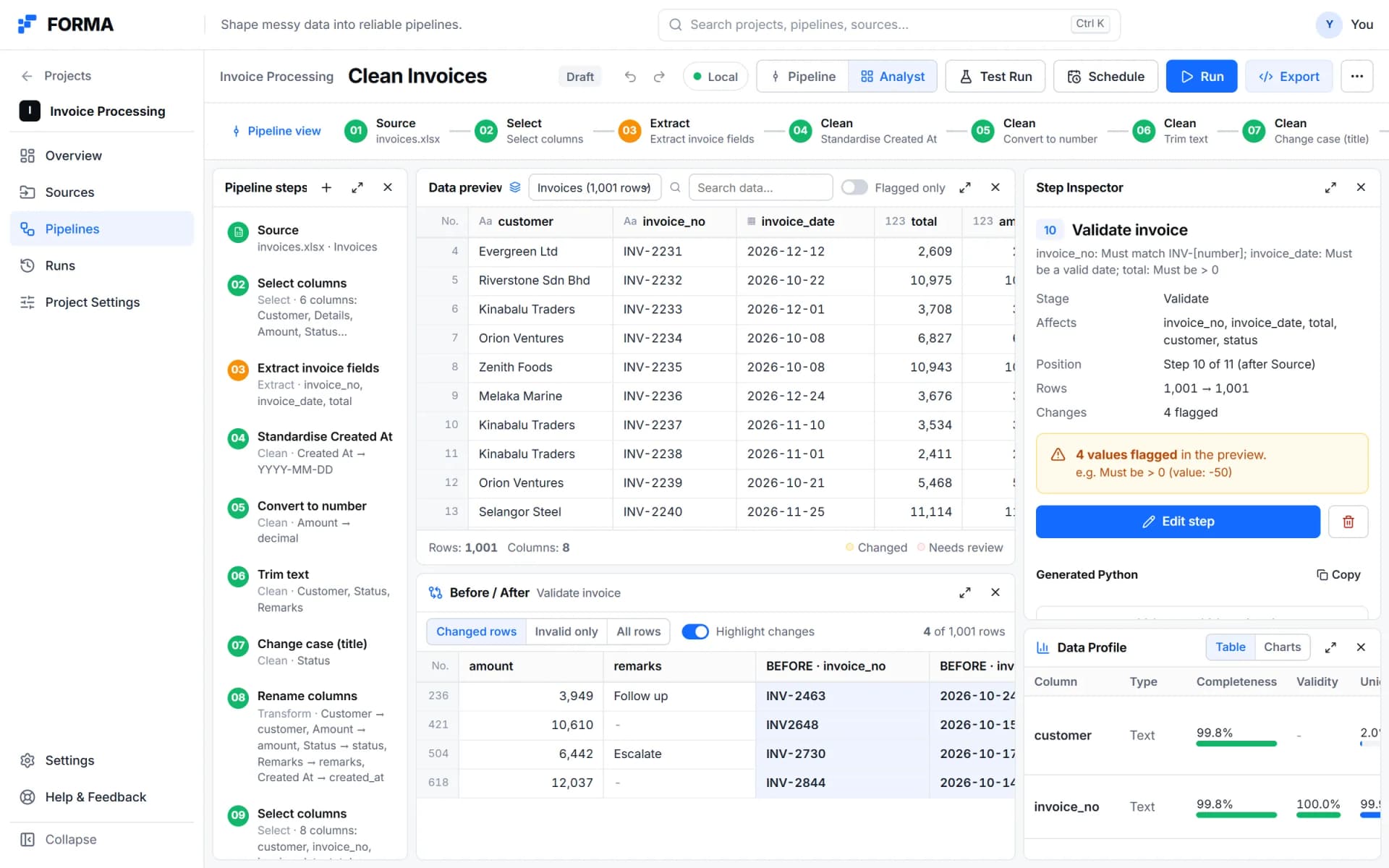
01Analyst view: steps, the data preview, before and after for the selected step, and the data profile.
Real product · Built-in example project and sample data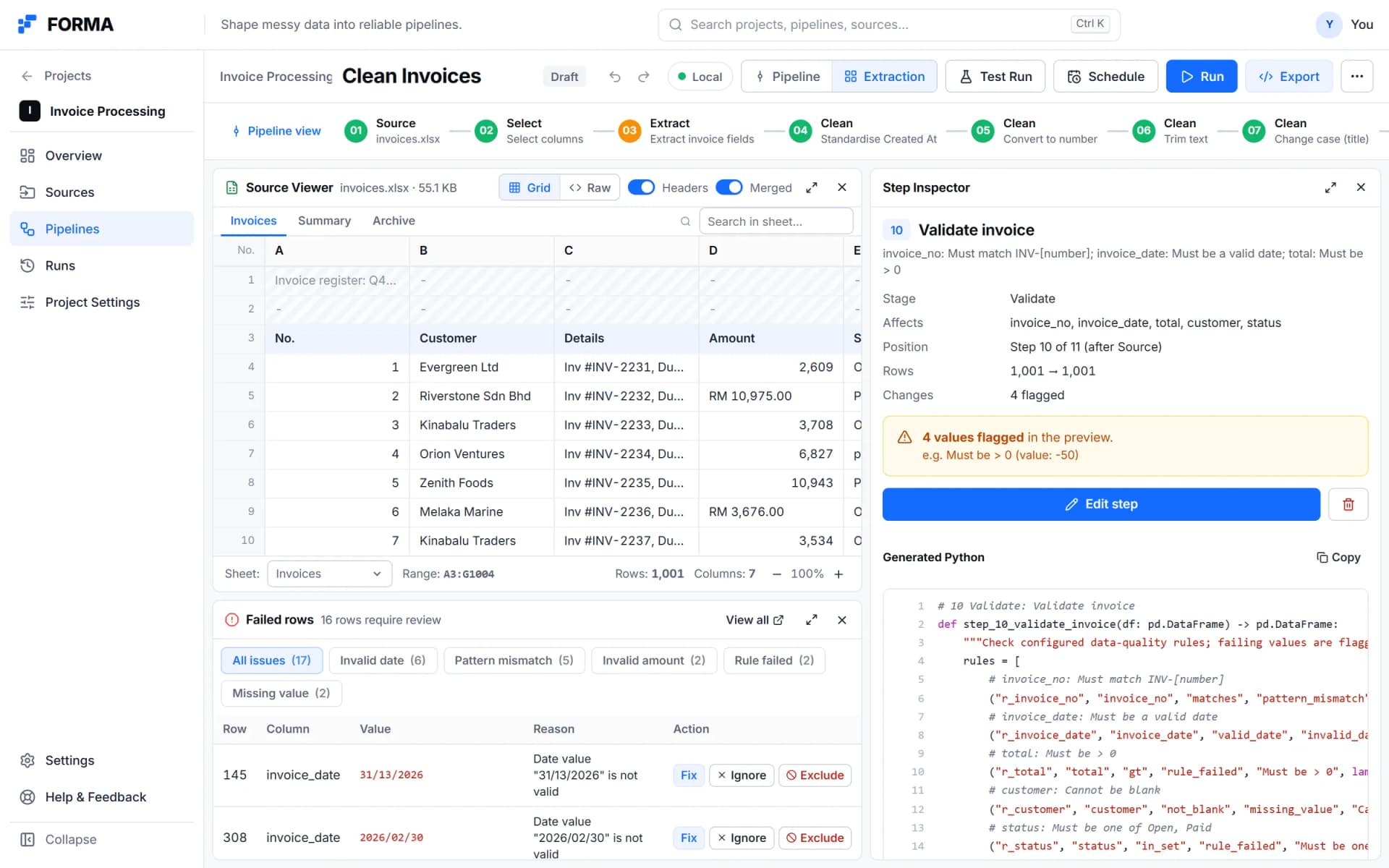
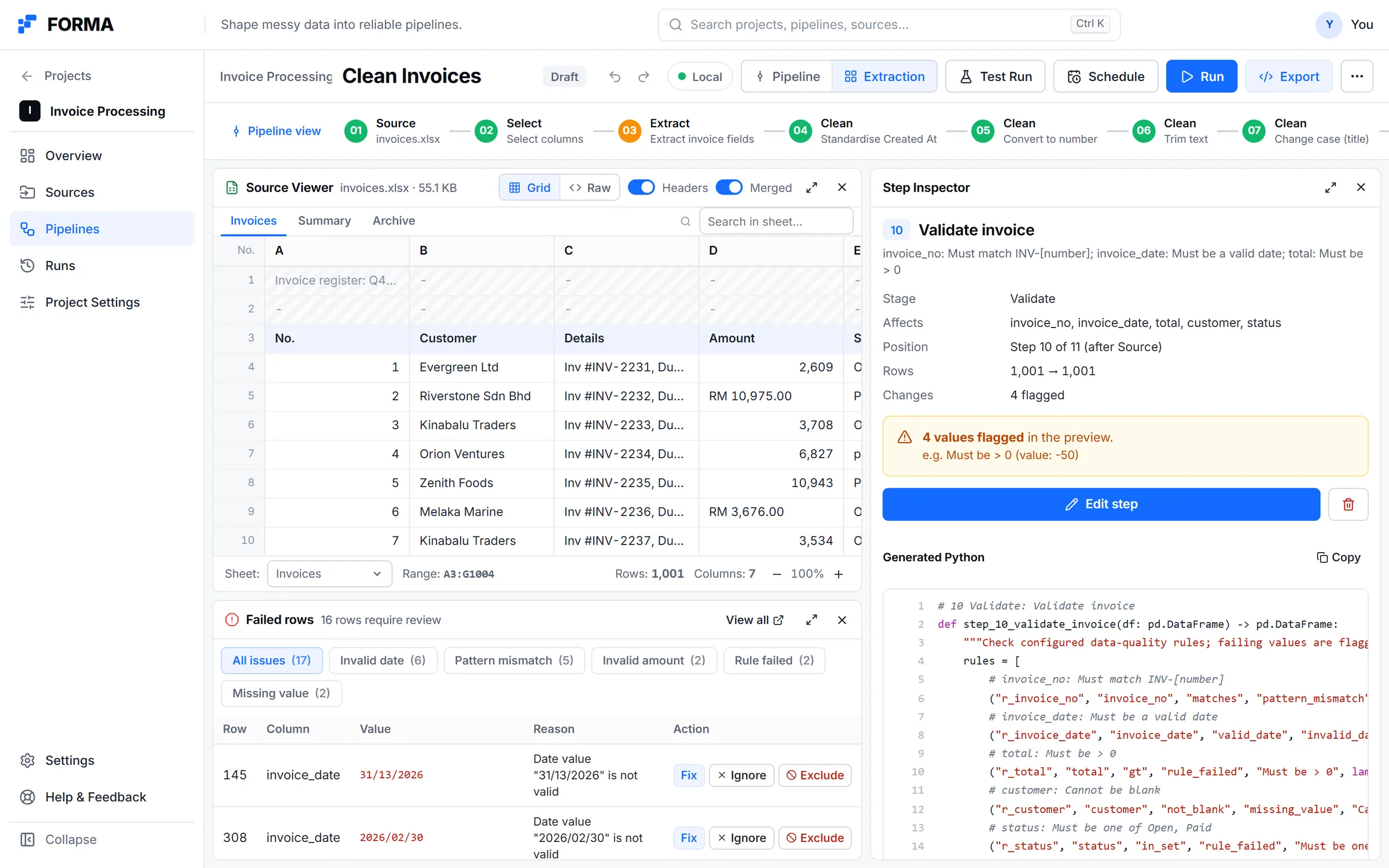
02Extraction view: the raw spreadsheet, rows that failed with a reason and an action, and the generated Python for the step.
Real product · Built-in example project and sample data
05 /Verify before run
Verify before it runs.
Validation is explicit: rules such as not blank, pattern, valid date, numeric bounds, allowed set and unique. Validation health is reported with the quality dimensions behind it, never as an unexplained score. Rows that cannot be transformed or validated confidently are held back instead of being loaded silently.
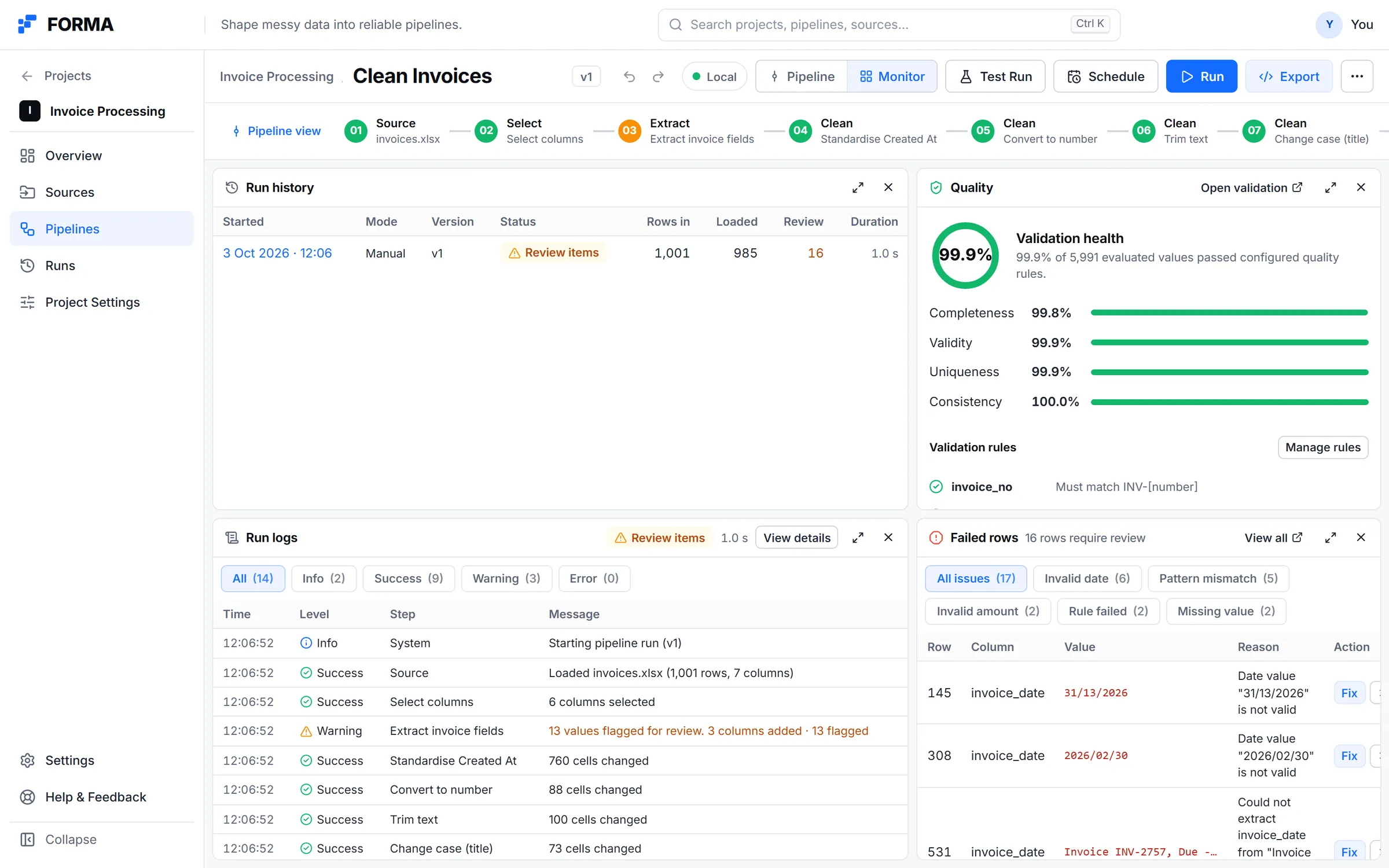
Monitor view: run history, validation health by dimension, step-by-step run logs and the failed rows.
Real product · Built-in example project and sample data06 /Run and review
Runs are visible events.
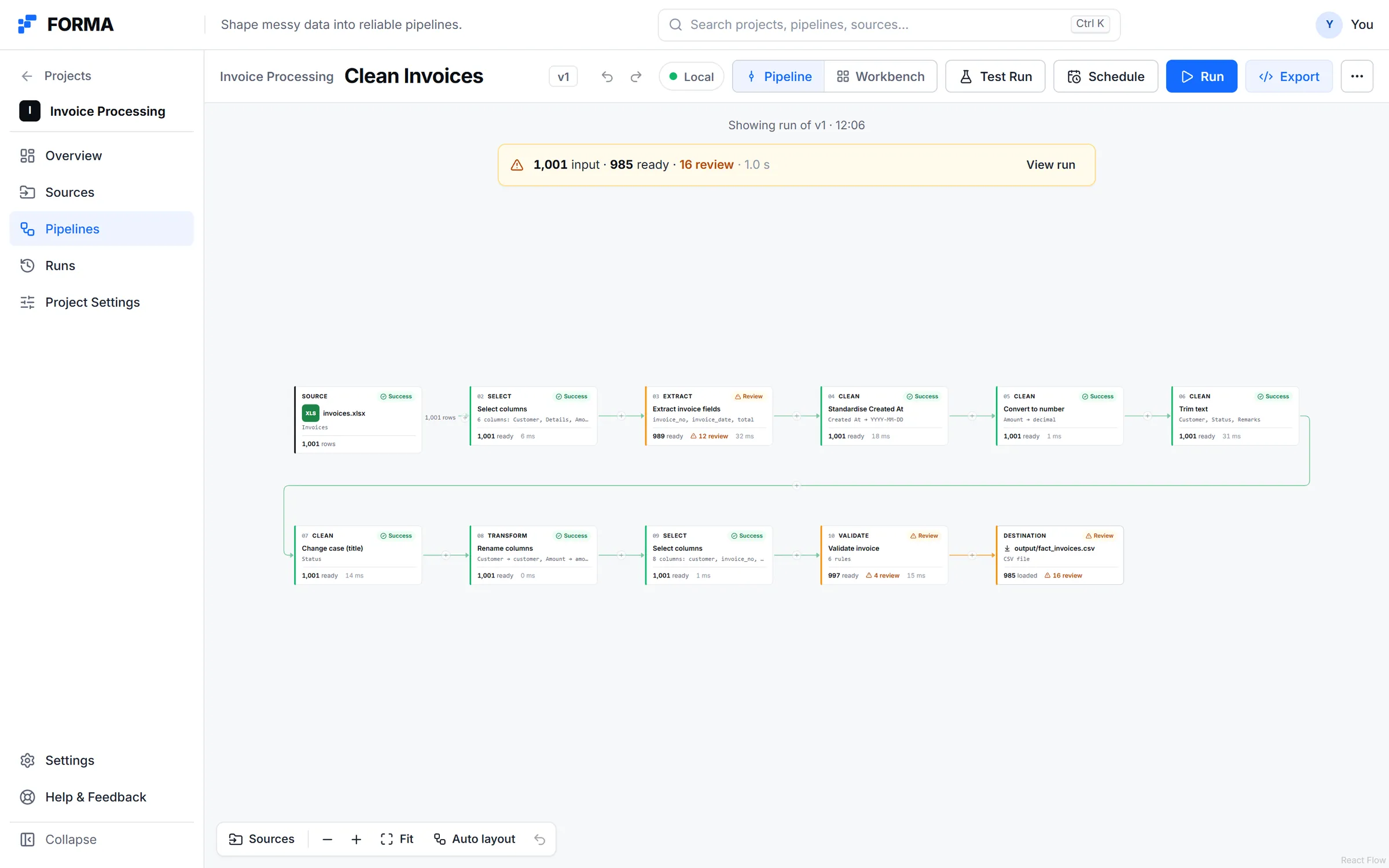
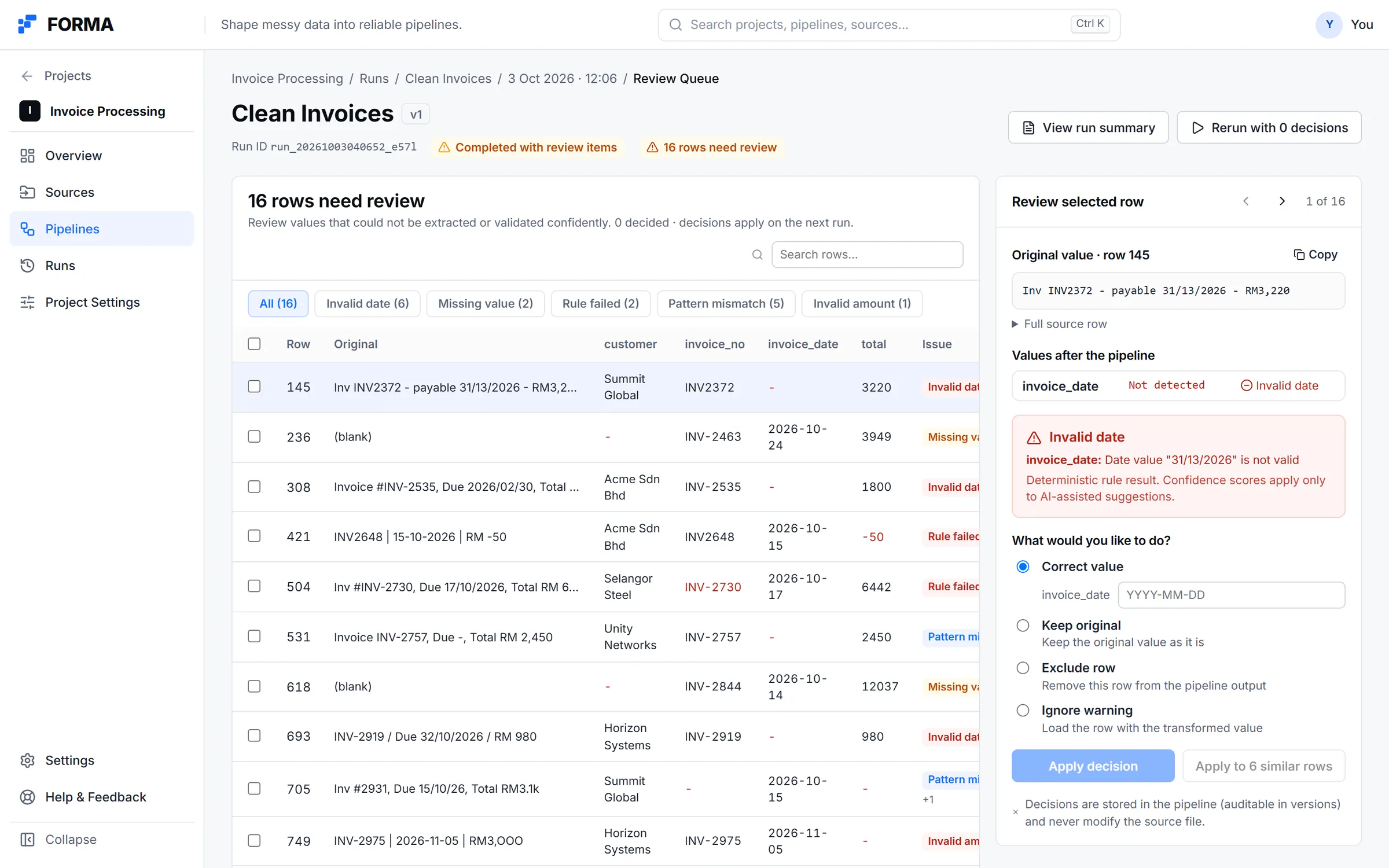
A run reports the source load and each completed step with real row counts and timings. Held-back rows go to a review queue, where each one can be corrected, kept, excluded or ignored. Decisions apply on the next run.
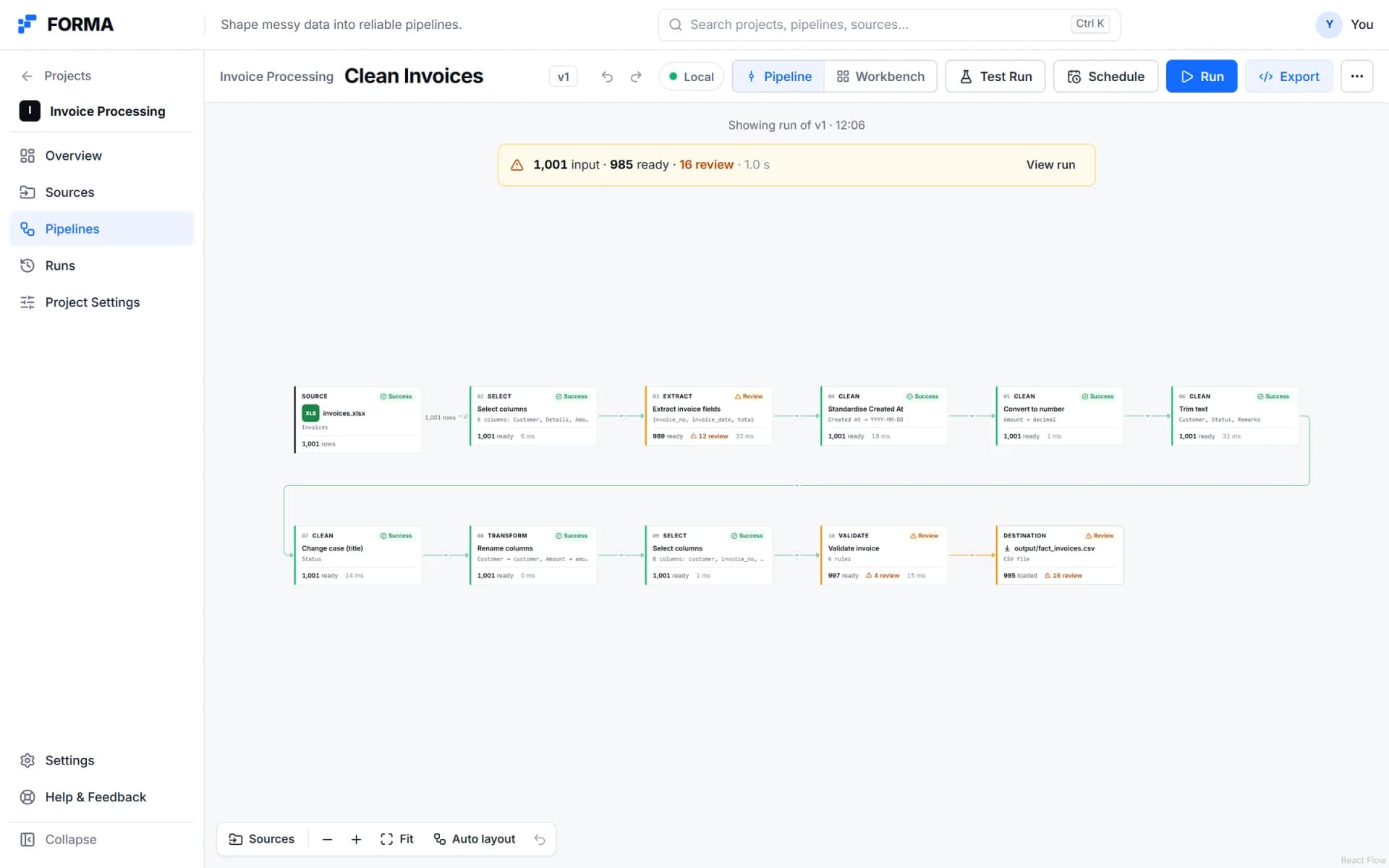
01After a run on the example project: 1,001 rows in, 985 ready and 16 held back for review.
Real product · Built-in example project and sample data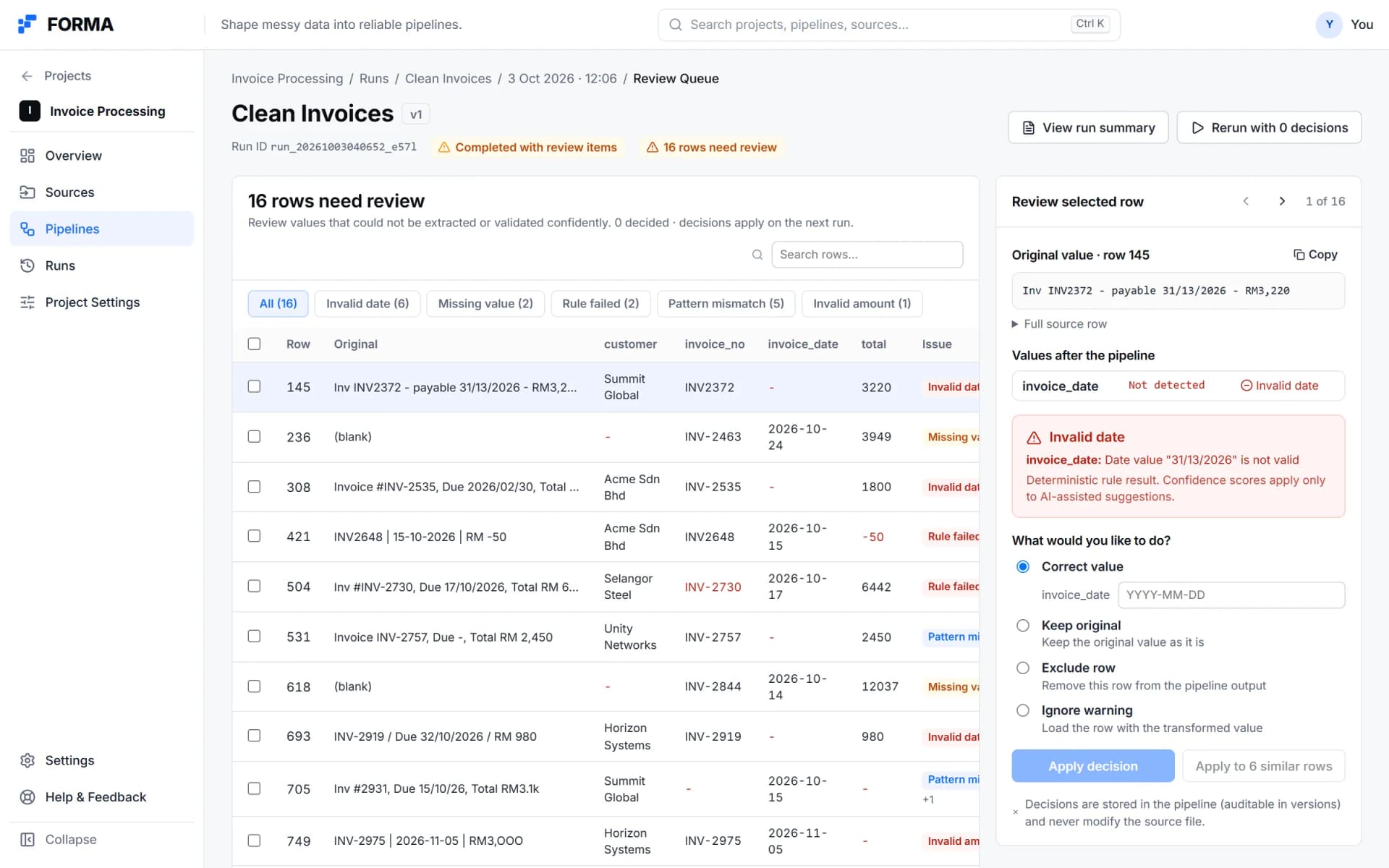
02The review queue for those 16 rows, with the original value and the reason for each.
Real product · Built-in example project and sample data
07 /Export
Keep the code.
A pipeline exports as a single pipeline.py or a full project with requirements, configuration, a README and the pipeline specification, plus an Airflow DAG or a Prefect flow. The code has one function per step, and its comments match the visual pipeline.
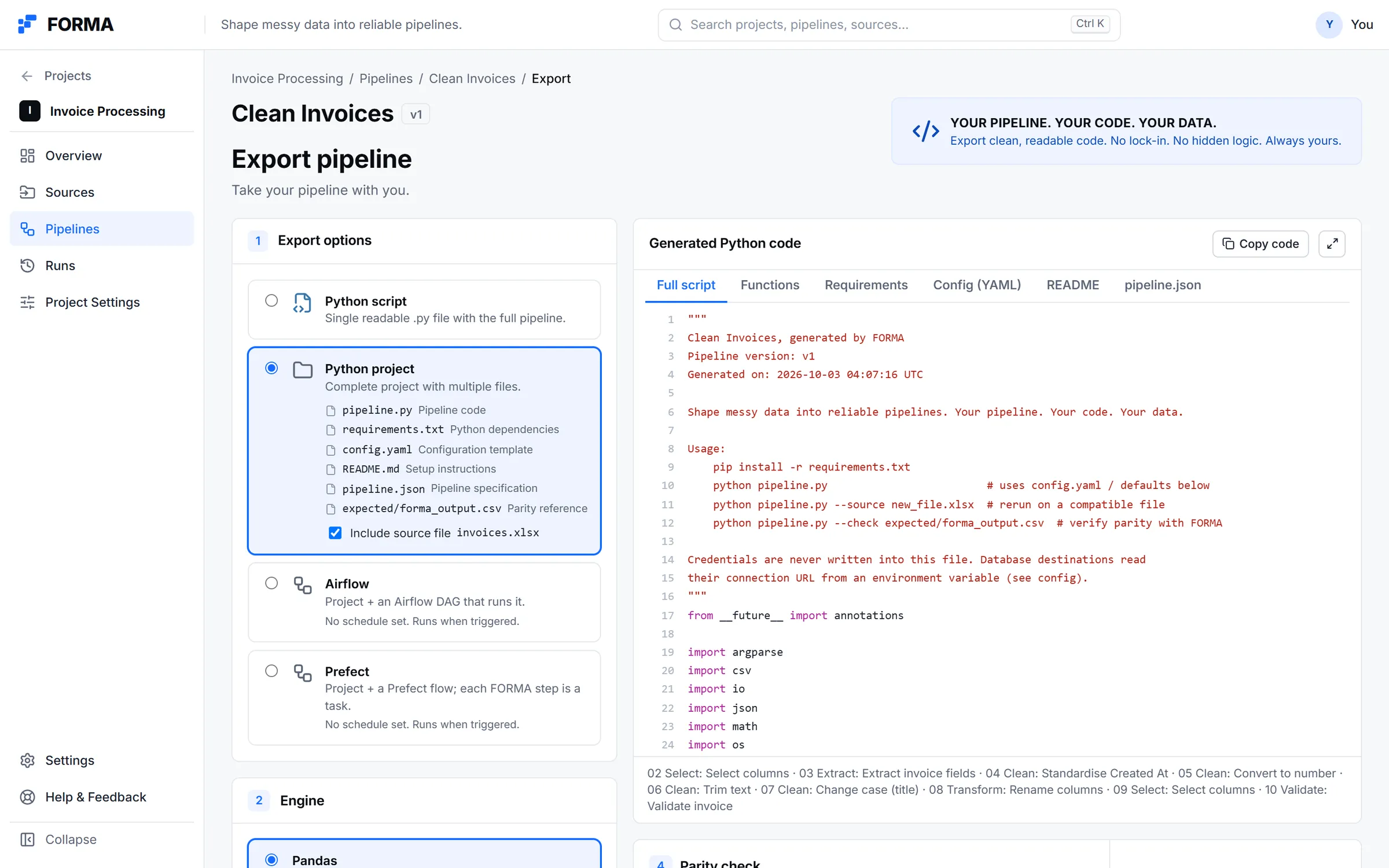
Export: the project options beside the generated pandas code.
Real product · Built-in example project and sample data08 /Current state
Active, with a clear edge.
FORMA is active. Every screen on this page is a capture of the running app on its built-in example project. The loop from source to export works end to end.
Not in this build yet
Collaboration, comments and approvals; SQL and Polars code targets; branching pipelines; an in-browser Python parity check; lineage and Git integration.
Read the journal
Why I am building FORMA09 /Next project
Job Matching System T2XGBoost-powered job matching with semantic analysis for accurate candidate–job matching.